1Assign ownership of the official information
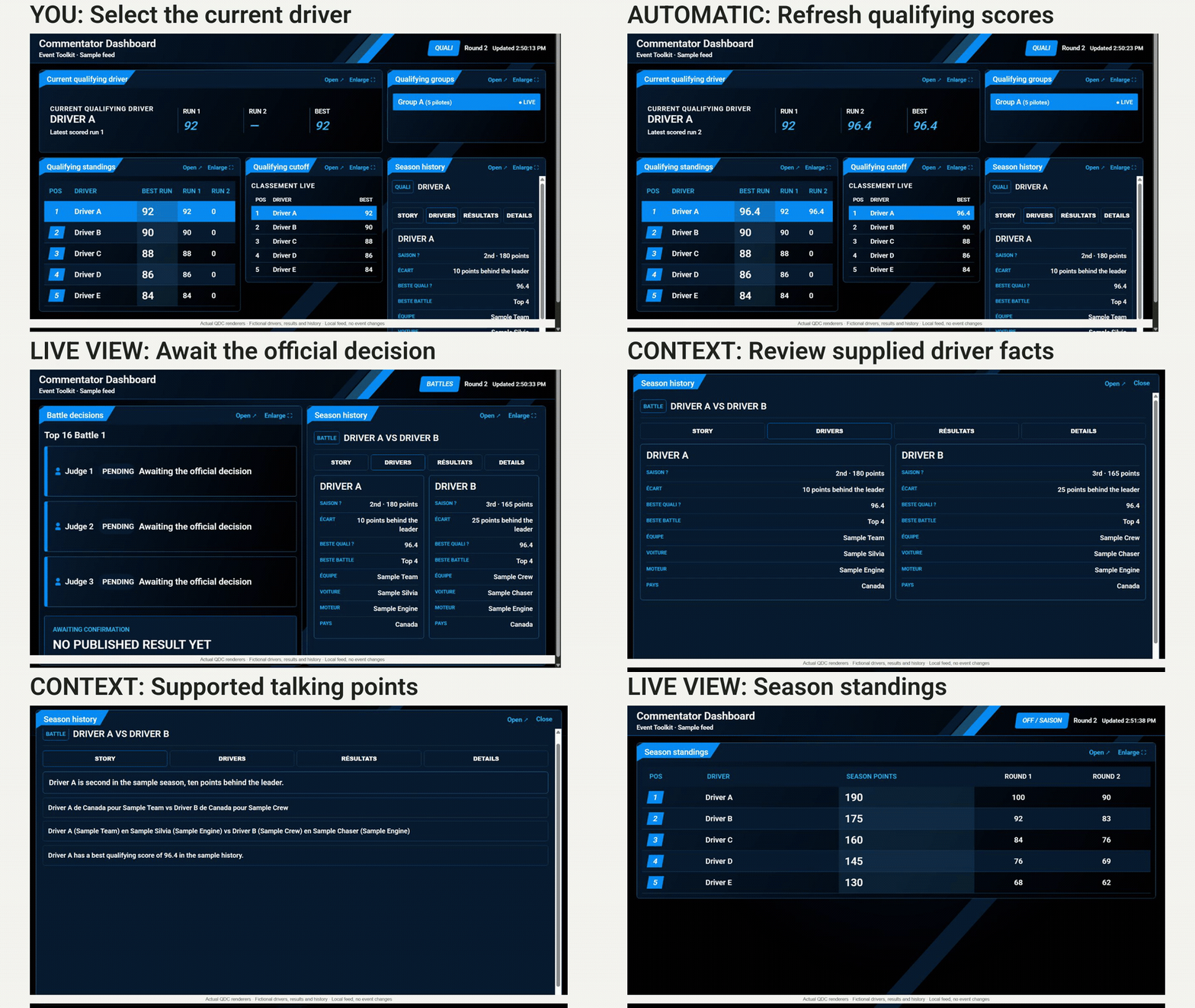
Choose who operates Live Judging, selects the current qualifying driver and records official scores. Agree how judges and event staff report a correction to that operator. Avoid maintaining competing score sheets.
The live system remains the source for scores and results. Other staff can follow the information without being responsible for entering or approving it.
3Distinguish a visible update from an official decision
During qualifying, check the driver identity and run number before repeating a score. During battles, wait for the published decision before announcing who advances. Pending votes are not an official outcome.
Season standings depend on confirmed, archived round results and your configured scoring rules. Check the round before using season points in an announcement. Where driver history is supplied, verify the underlying records before quoting them.
4Rehearse delays and crew handoffs
Before going live, use test data to check that staff can follow a current-driver change, a qualifying score and a published battle result in Live Staff Dashboard.
Agree what to do if the feed is delayed: ask the operator for confirmed information and use direct crew communication. Keep an offline event format and essential notes available. A dashboard reduces repeated lookups; it does not replace your crew channel or guarantee uninterrupted updates.
Tools in this guide
| Module | What it handles | Requires |
|---|---|---|
| Live Judging | Enter qualifying scores and battle votes in one Google Sheet. | Works on its own |
| Live Staff Dashboard | Keep staff and commentators informed in one read-only browser dashboard: current qualifying driver, scores, published battle decisions and season standings. | Live Judging |
Before your next event
Readiness checklist
Tick these as you prepare, or print a copy for your team. This site does not save your ticks.
Keep the checklist
A simple copy for your team, ready to open in Google Sheets or Excel.
Common questions
Is Live Staff Dashboard only for commentators?
No. Commentators are one audience, but stream staff and event coordinators can also use its read-only competition information. It is not a staff task manager or an operational control panel.
Can staff change scores or brackets from this view?
No. Score entry, official decisions and corrections stay with the authorized competition operators in Live Judging. The dashboard follows the configured published information.